
LingQ Referral Code & Link
Get 100 bonus LingQs when you sign upJoin LingQ through a referral link for 100 additional saved-vocabulary LingQs; your referrer also earns 20% of your eligible payments.
Referral Links
(1)Links are shown in random order so everyone gets equal visibility.
LingQ Referral Code: Get 100 Additional LingQs
Using a LingQ referral code through an invitation link can give a new learner 100 additional LingQs to use before upgrading. The person inviting you receives the same vocabulary bonus and can earn 20% of your payments while your referred account remains active. The learner bonus adds vocabulary capacity; it is not a cash balance or a discount on every subscription. These benefits are described on LingQ’s official referral programme page, checked on October 2, 2026.
What the referral offer includes
LingQ separates the signup benefit from the referral payment reward. A registered referral receives extra LingQs, while qualifying payments can generate commission for the inviter. Joining and paying are different events: creating an account does not by itself produce subscription commission. The programme does not require you to buy Premium simply to receive the stated vocabulary bonus.
For a LingQ referral code, the invitation is carried in the URL. The link on this page uses ?referral=fechin. LingQ officially documents this username-based format and provides members with their own link in account settings. Keep the complete link when opening the signup page so the referral identifier accompanies your visit. The published programme also says referrals can be reviewed in the inviter’s Referrals tab and that payment of accumulated referral points is requested through LingQ.
What is a LingQ?
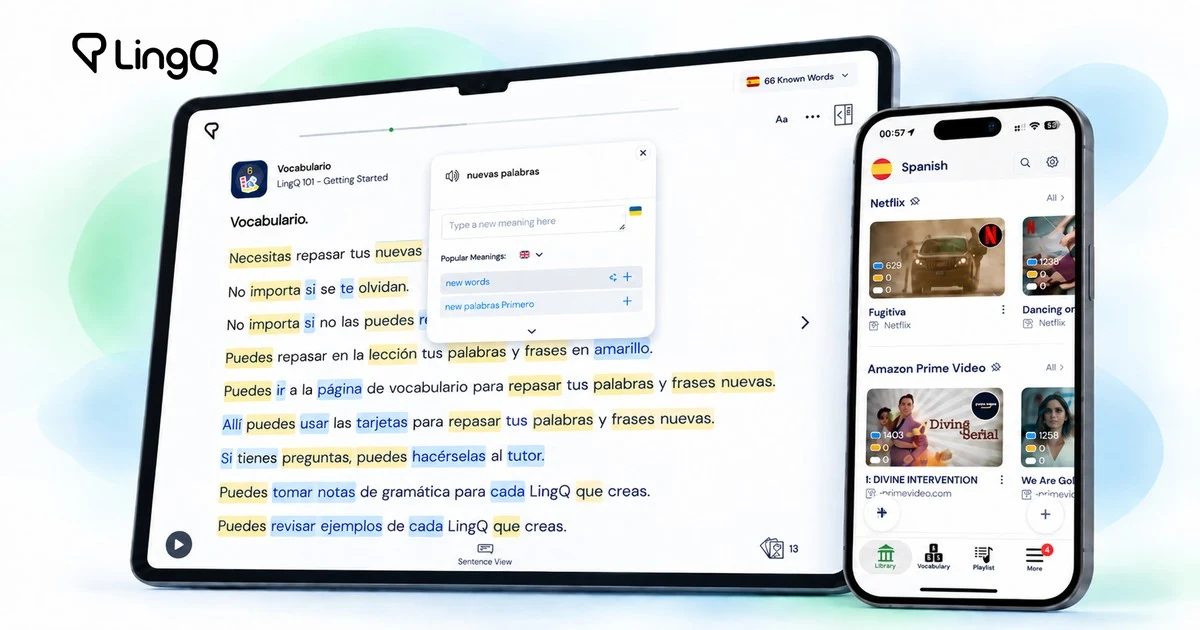
A LingQ is a saved unfamiliar word or phrase with a meaning you can revisit. LingQ’s New Learner Guide explains the reader’s vocabulary colours: blue identifies new words, yellow marks saved vocabulary, and known words appear without that highlighting. Saving an item builds your vocabulary collection for later practice.
That makes the bonus useful during an initial learning trial. You can save additional unfamiliar items while exploring whether the reading and listening workflow suits you. Extra saved words do not establish fluency, unlock every feature, or replace time spent practising. Treat the allowance as room to explore the product and check the account’s current limits when comparing plans.
How to use the invitation link
- Open the LingQ referral code link displayed here before creating your account.
- Check that you are on
lingq.comand that the URL includes the referral identifier. - Follow the new-account signup flow and choose the language you want to learn.
- Look at your account’s vocabulary allowance and available lessons after registration.
- Try the learning workflow before deciding whether a paid plan is useful.
The advertised signup bonus is for an account registered as a referral. The official page does not describe retroactively adding this bonus to an existing account. If you already have an account, ask LingQ support about eligibility instead of assuming a second visit changes its original attribution. If the expected allowance does not appear, keep the invitation URL and signup date available when requesting help.
What you can do with LingQ
LingQ’s current homepage presents language learning through reading and listening to meaningful content. Its library includes different subjects and formats, and the product also supports bringing other content into the learning experience. Current Premium marketing describes access to more than 50 languages. Available features and limits should be checked for the plan you actually select.
A LingQ referral code can be a useful entry point if you prefer spending time with articles, audio, and vocabulary in context. For example, choose a short lesson on a topic you already understand, read once to identify gaps, and listen again with the text. This is a suggested way to evaluate the tool, not a promise of a particular learning result. Subscription decisions should follow your own experience with the lessons.
A practical first-week evaluation
Before registering, decide what you want to test: understanding a short recording, reading a page with fewer lookups, or remembering several useful expressions. Keep that goal small enough to compare across a few sessions. A concrete task helps you judge whether the interface is comfortable without treating the size of a bonus as the main reason to subscribe.
For the first session, pick one short piece of content rather than building a large queue. Note the unfamiliar vocabulary that blocks understanding, then revisit the same material another day. Record whether those items become easier to recognise. You can also compare desktop and mobile use if your regular study time happens during a commute or at home.
When evaluating the LingQ referral code benefit, distinguish the extra vocabulary allowance from subscription features. Write down which limitations you actually encounter and which paid features you would use repeatedly. If you cannot name a practical use for an upgrade yet, continue evaluating the available account rather than purchasing solely because referral commission exists.
Costs, eligibility, and support
The invitation is not a percentage-off coupon for the learner. Any paid subscription has its own price, billing period, and renewal settings. Review the checkout information directly before choosing a plan; an older example of annual pricing on a referral page should not be treated as today’s quote. The inviter’s 20% payment reward is distinct from what you are charged.
Keep a brief record of your signup and the bonus displayed in your account. For an attribution or allowance question, contact LingQ through its official support resources and describe what you expected and what appeared. Avoid sharing account passwords. The programme and learning product can change, so the current account interface and official terms remain the final reference when you join.
Frequently asked questions
What does a LingQ referral code give a new user?
The official programme states that a referred signup receives 100 additional LingQs to use before upgrading. These are vocabulary items, not cash or a guaranteed Premium subscription discount.
Does the inviter receive a reward?
Yes. LingQ describes a matching vocabulary bonus and 20% commission on the referred account’s payments while it remains active. Signup and qualifying payment are separate triggers.
Do I type the username into a coupon box?
The LingQ referral code here is conveyed by an invitation URL containing ?referral=fechin. Open that complete URL and follow registration; the official programme documents referral links rather than a checkout coupon for this offer.
Is the offer worth using before paying?
The added allowance can help you evaluate the vocabulary workflow. Decide whether to subscribe based on the lessons, limits, and current plan price after trying the account, rather than expecting a guaranteed learning outcome.
Information
Categories
More Referral Codes

Get 10 GB extra storage on eligible signup

Get $20 Proton credits with a paid plan

Referrer earns 15% subscription commission
Share Your Referral Code
Join our referral program to share your invite code or referral link with people looking for current referral offers. Rewards depend on each program's terms and eligibility rules.