

Cap Referral Code & Link
Get 20% off Cap for 12 monthsGet 20% off Cap for 12 months as a new user via https://go.cap.so/john-smith-lcps; confirm the eligible subscription at checkout.
Monica’s referral

Monica
Community referrals
No community referral links yet. Share yours!
What does this Cap referral code offer?
The Cap referral code listing links to an invitation offering new users 20% off for 12 months on eligible subscriptions, as listed on the official Cap partner page. Open https://go.cap.so/john-smith-lcps before signing up, then confirm the discount and eligible purchase on Cap's checkout screen. The invitation details were checked on November 5, 2026. The offer reduces an eligible subscription price; it does not provide a cash credit or twelve months of free access.
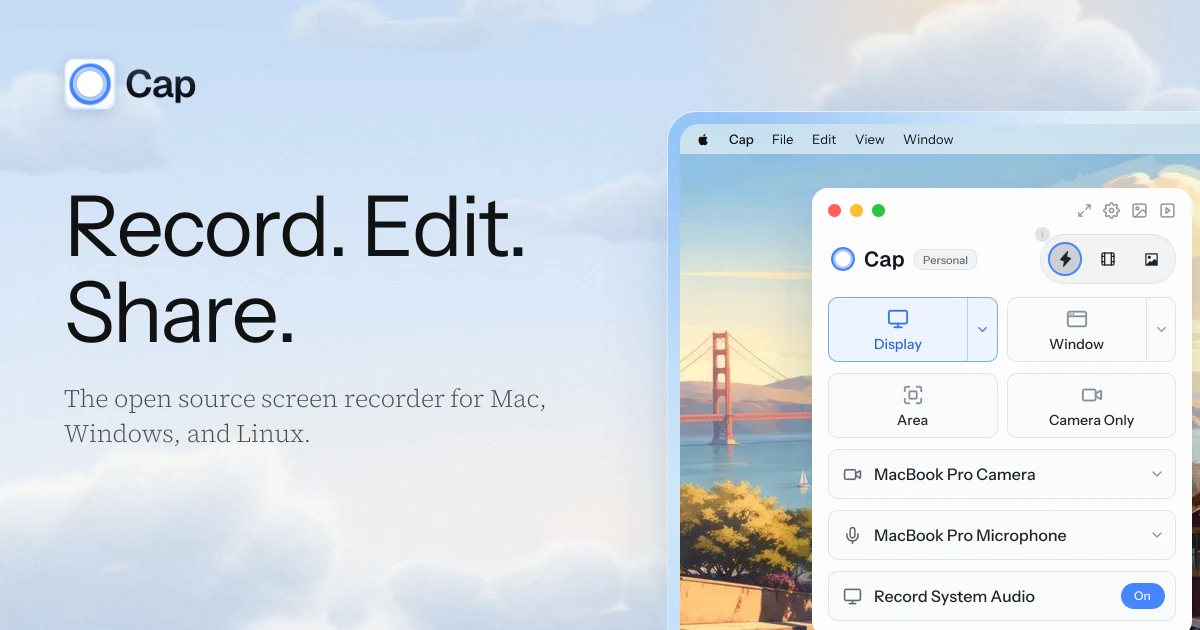
Cap is a screen recorder with editing and link sharing. Its official website describes Instant Mode for quick recordings, Studio Mode for editing before sharing, and Screenshot Mode for captures. Choose the product and plan that fit your work before paying; a discount is useful only if the selected option covers what you need.
How to use the Cap referral code link
Open the complete invitation URL to reach Cap through the referral flow. No separate redeemable coupon has been confirmed for this listing, so do not assume that the identifier in the link can be typed into a promotion box.
- Open the referral link listed on this page before creating your account.
- Follow Cap's signup process using the account you intend to keep.
- Review the available products and the selected billing interval.
- Confirm that the checkout displays the expected 20% offer and its duration.
- Check the amount due, any applicable tax, and the price after the promotional period.
- Complete the purchase only after those details are clear.
Keep the purchase confirmation and note which account owns the subscription or license. If the discount does not appear, ask Cap support to clarify the offer before paying. This page does not promise that an existing account can restart a new-customer promotion or that a previously completed purchase can be discounted retroactively.
Understand the twelve-month discount
The invitation states a 20% discount for new users for twelve months. It does not establish a permanent price reduction, a lifetime-license discount, or compatibility with every other promotion.
For a simple illustration, if an eligible charge were US$10 before tax, a 20% reduction would make that charge US$8 before tax. This is arithmetic, not Cap's current price or a quotation for a particular plan. Use the actual checkout amount to compare options, especially when monthly and yearly billing are presented together.
Before purchasing through the Cap referral code link, check how the twelve-month offer is applied to the billing interval you select. Review any renewal amount shown and use the account's billing controls if you later decide to change your subscription. A referral offer should not be treated as confirmation of a refund policy or a guarantee that future pricing will stay unchanged.
Choose the right recording and sharing workflow
Cap provides different ways to capture and present work. Instant Mode is aimed at making a recording available through a shareable link quickly; Studio Mode supports recording locally and refining the result in an editor. The official site also presents Screenshot Mode for capturing and styling a still image.
A short explanation for a colleague and a polished tutorial can require different workflows. For an everyday update, clear audio and a concise message may matter more than elaborate editing. For a reusable walkthrough, review the sequence of steps, remove distractions, and check whether the viewer can follow the action without additional explanation.
Try a modest recording before committing to a larger library. A useful example is a two-minute walkthrough of a feature you know well: introduce the task, show the steps, and finish with the intended result. This is a suggested evaluation exercise, not a claim that this website has tested Cap or measured time savings.
How the Cap referral code fits the plan choices
Cap's pricing page distinguishes free personal use, a Desktop License, and Cap Pro. Paid options include commercial usage rights; Pro adds cloud features beyond the desktop license. Check the current comparison rather than assuming that every paid option includes the same storage, sharing, or collaboration features.
If your goal is to record privately and export a file, start by checking the local recording workflow. If you need links for clients or a team, examine the sharing controls and cloud features attached to your selected plan. A desktop license and a cloud subscription solve related needs, but the invitation does not prove that both receive the same promotional treatment.
The Cap referral code is a way to reach the offer, not a substitute for choosing the right license. Review the intended use, number of users, billing interval, and displayed discount together. Consult the official terms for the conditions that apply to the service and your purchase.
Review your first recording before sharing it
A practical review can help you judge whether Cap fits your workflow. Play the recording from beginning to end and check that the content explains the task clearly.
Listen for distracting noise, confirm that text is readable, and make sure important actions remain visible. Remove personal information, account details, or unrelated windows from anything you plan to share. Open the exported file or share page as a viewer would, and check the actual access settings rather than assuming every link is private.
Before using the Cap referral code for a paid purchase, write down which features your test actually required. That keeps the plan decision tied to your work instead of the discount alone.
Questions about this invitation
Who receives the 20% offer?
The offer shown for this invitation is for new users and lasts twelve months. Confirm eligibility and the applicable product on Cap's checkout screen.
Do I need a standalone coupon?
No standalone coupon has been verified. Use the full referral URL and follow the signup and purchase process it opens.
Is Cap free to try?
Cap lists a free option for personal use. That standard access is separate from the twelve-month discount on an eligible paid purchase; review the current pricing comparison for feature differences.
Can the offer be combined with another deal?
This listing does not confirm stacking with other promotions. The Cap referral code does not establish that a lifetime license, an existing account, or another discounted purchase qualifies. Check the offer displayed for your selected purchase before completing payment.
Information
Categories
More Referral Codes

Get $25 in Ting Mobile service credit

Get $22 credit when you start a trial

No extra signup bonus verified
Share Your Referral Code
Join our referral program to share your invite code or referral link with people looking for current referral offers. Rewards depend on each program's terms and eligibility rules.