

ByteMail Referral Code & Link
Try native Mac email free for 7 daysUse the ByteMail referral code link to try native Mac email free for seven days; ordinary trial, billing, and system requirements apply.
Referral Links
Community links are shown in random order.
ByteMail referral code: a seven-day Mac email trial
A ByteMail referral code is carried by the affiliate link listed on this page. Its verified customer benefit is ByteMail's ordinary seven-day free trial for the native Mac email application. No extra referral-only trial extension, cash bonus, or exclusive price reduction is confirmed for this particular invitation.
The official website and partner program were checked on November 21, 2026. The current site also advertises a public Black Friday lifetime offer at a displayed price of $69 instead of $99, ending December 7. That is a public promotion, separate from the received affiliate link; confirm the actual checkout terms before buying.
What the trial lets you evaluate
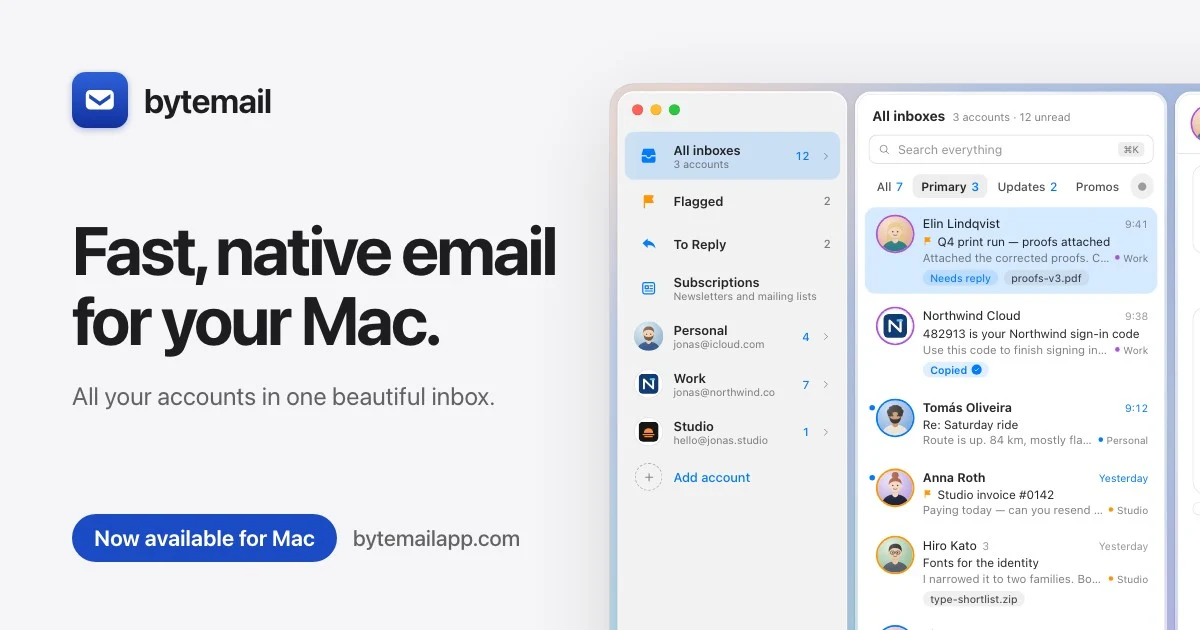
ByteMail brings supported email accounts into a native macOS application. The official site lists Gmail, iCloud, Outlook, Microsoft 365, Yahoo, Fastmail, and other IMAP services. A trial is an opportunity to test your own providers, account settings, and everyday workflow before choosing a paid plan.
A ByteMail referral code does not include an email address or replace your provider's service. You connect accounts you already control and use the authentication method supported by the provider. A work or school account may also be subject to the organization's application and access policies.
The current website describes macOS 14 or later and Apple silicon support. Its iPhone application is described as coming soon while in App Store review. Do not treat a planned iPhone release as an application you can already obtain simply because a licence is intended to cover both platforms.
How to use the received link
Open the ByteMail referral link and check that you are on bytemailapp.com. The affiliate reference is carried in the URL; no separate verified coupon is supplied for manual entry. Read the plan and trial wording that applies to the path you choose.
- Follow the received invitation to the official website.
- Check the system requirements for the Mac you intend to use.
- Review the available trial and subscription options.
- Download the application through the official route.
- Connect only email accounts you are authorized to access.
- Test reading, searching, composing, and account synchronization.
- Review the billing or trial-end instructions before continuing with a paid plan.
The ByteMail referral code does not change your provider's password or security requirements. Follow the official account-connection process rather than sending credentials to the person who shared the invitation.
Understand the price and licence you select
The current website displays monthly, yearly, and lifetime choices. At the time checked, the displayed subscription prices were $3.99 per month and $39.90 per year, with a seven-day trial. The accepted checkout determines the currency, tax, billing authorization, and terms for your purchase.
A ByteMail referral code does not make every option a recurring subscription or every purchase a trial. A lifetime licence and a monthly subscription are different arrangements. Check which one you selected and whether a payment is immediate or follows an evaluation period.
The site describes a licence covering five devices. Review the current licence conditions and platform availability before assuming that every computer, user, or future version is included. A public sale ending on a stated date should not be assumed to remain available indefinitely.
Mail handling and optional features
ByteMail's privacy page says normal mail connections go directly between your Mac and your email provider using IMAP and SMTP. It describes account credentials in the macOS Keychain and a local message cache. These are product characteristics, not extra benefits created by an invitation.
Some optional features have their own data flows. The provider explains that read receipts are off by default and can use its service when enabled. Connecting an external AI application can send selected account information to that application or its model provider, depending on the setup you choose.
A ByteMail referral code does not automatically activate those features or grant another person access to your inbox. Review the settings, requested permissions, and connected providers before enabling an integration. Keep normal account access separate from optional AI, read-receipt, or cloud-model features.
Test with the accounts you actually use
A useful evaluation includes the tasks that matter to you: locating an older conversation, handling an attachment, replying from the intended account, and checking how folders or labels appear. A clean first screen is different from confirming the app works with a complicated work mailbox.
If an organization manages your email, check whether its policy allows the client and authentication method you want to use. An invitation does not bypass administrator restrictions. For connection trouble, use the official support routes and the provider's own account-security instructions.
A ByteMail referral code should be one route to evaluating the application, rather than a reason to ignore compatibility or billing details. Use the trial to decide whether the current release supports your needs. A future feature on a roadmap is different from a feature already available in the downloaded version.
Frequently asked questions
Is the seven-day trial exclusive to this link?
No. The official site advertises the trial as an ordinary customer offer. No additional referral-only extension is verified for the listed invitation.
Does the current lifetime sale come from a code?
The website advertises the lifetime promotion publicly. It should not be presented as an exclusive discount created by this affiliate link. Confirm its displayed price and end date before purchase.
Does a ByteMail referral code provide an iPhone app now?
The current site describes the iPhone application as coming soon while under App Store review. Check the official release information before relying on availability for your phone.
Must I give someone my mailbox password?
No. Use the official application's account-connection process. A person sharing an invitation does not need your password, login codes, licence key, or inbox contents.
Official information
Read the received invitation, official privacy explanation, terms, and partner-program page. The current checkout and licence terms determine the plan you accept.
Information
Categories
Tags
More Referral Codes

Apply for remote AI expert roles

Apply for programming AI projects

Apply for remote expert opportunities
Share Your Referral Code
Join our referral program to share your invite code or referral link with people looking for current referral offers. Rewards depend on each program's terms and eligibility rules.