

Copper Referral Code & Link
Try Copper free for 14 daysUse a Copper referral link to start its standard 14-day CRM trial without a credit card; no extra signup discount is confirmed.
Referral Links
(1)Links are shown in random order so everyone gets equal visibility.
Copper referral code overview
A Copper referral code link lets you explore Copper CRM with its standard 14-day free trial, with no credit card required. This is the ordinary trial available to new customers; no additional signup credit, cash reward, or exclusive discount is confirmed for this invitation. Copper advertised these trial terms on October 13, 2026. Official trial information
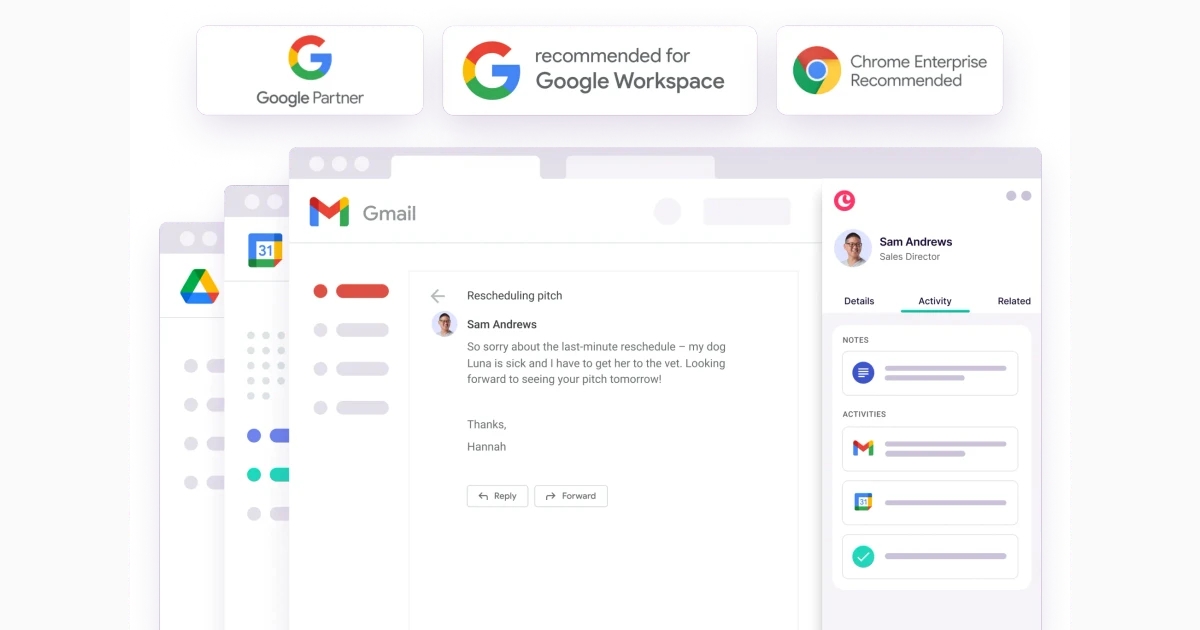
Copper is customer relationship management software built around Google Workspace. It helps businesses keep customer information, conversations, tasks, sales opportunities, and projects connected. The product is especially relevant when your working day already revolves around Gmail, Google Calendar, and Google Drive. Google Workspace integration
What new customers receive
The confirmed customer benefit is time to try the service before choosing a paid subscription. The Copper referral code offer should therefore be understood as access through an invitation to the standard trial, without a separate referral bonus.
Copper's public website describes a 14-day evaluation and says a payment card is unnecessary to begin. Trial access is temporary, so use the period to establish whether the CRM fits your actual customer workflow. Check the signup screen for the trial details that apply when you create your account. Copper trial
There is no confirmed Copper bonus balance to redeem and no verified amount of Copper rewards for opening an account through this link. A published partner program does not, by itself, establish a customer discount. Only treat a discount as available if Copper explicitly presents it to you with applicable conditions.
How to use a Copper referral code link
Open the listed Copper referral link and follow Copper's signup process to start evaluating the CRM. The invitation is a web link; a separate coupon to enter manually is not provided here.
- Open the invitation before starting your new account.
- Confirm that the destination is Copper CRM and review the current trial offer.
- Create your account using the official signup flow.
- Connect the Google account you intend to use for work, reviewing the requested permissions.
- Test the customer records, tasks, and integrations your business needs before selecting a subscription.
Copper's setup guide recommends signing in with Google and installing its Chrome extension for access within Gmail. The guide also explains mobile access and links to introductory training. Those resources can help you work through setup questions during the evaluation. Getting started with Copper
What to test during the free trial
Use your Copper referral code trial to evaluate a small, realistic customer workflow. Start with a few representative contacts and one active opportunity so you can judge how information moves between your inbox and the CRM.
Copper's contact tools bring together emails, calls, files, and notes. Contacts can be organized using tags, filters, and custom fields, while activity histories provide context about previous interactions. For a useful first test, check whether you can find a customer's last discussion, associated documents, and next follow-up without searching across several separate places. Contact management
The sales tools use pipelines to organize opportunities into stages. Copper also supports tasks and due dates alongside opportunities, with automation options for reminders and emails. Try mapping your own process, such as initial discussion, proposal, and decision, then identify which capabilities are included in the subscription you would actually buy. Sales pipelines
For businesses that deliver services after a sale, Copper also offers project workflows. Testing the handoff from a completed opportunity to delivery can reveal whether the same customer context remains useful to your team. Evaluate one representative project rather than assuming a sales pipeline automatically matches your delivery process. Project management
Plans, eligibility, and account requirements
A Copper referral code does not replace the subscription terms or guarantee access to every paid feature. Compare the plan, seat count, contact allowance, and billing frequency before deciding to continue.
Copper's pricing page currently lists Basic, Professional, and Business options, with different capabilities and limits. Some advanced workflow, reporting, and communication tools depend on the selected tier. Compare the features your trial workflow needs against the pricing table, and review the total cost for everyone who will use the service. Plans and features
Copper is designed around Google's tools. Its official partner FAQ says it does not currently offer a native Microsoft 365 integration, so organizations centered on Outlook should examine that compatibility point before subscribing. Compatibility FAQ
Copper's terms require customers and authorized users to be at least 18. The service also excludes customers in countries subject to U.S. government embargoes and people on applicable restricted-party lists. Availability is therefore subject to account eligibility and location, rather than an unconditional promise of access everywhere. Account terms
If you later purchase a subscription, the account owner manages billing changes. Copper's help center describes requesting cancellation from Settings and Billing, with cancellation taking effect at the next renewal date; it also states that partial refunds are not offered. Review those conditions before making a paid commitment. Cancellation help
Frequently asked questions
The answers below distinguish the ordinary trial from any unconfirmed additional incentive. Your signup screen and chosen subscription determine the account terms you accept.
Does a Copper referral code provide an extra discount?
No additional customer discount is confirmed for this invitation. The verified benefit is Copper's standard 14-day trial without a credit card. Do not treat the invitation itself as proof of a reduced subscription price.
Is there a separate Copper invite code to type?
This listing supplies a referral link rather than a standalone coupon. Open the link and complete the official registration flow; there is no additional manual code specified for this invitation.
Can I use Copper on my phone?
Yes. Copper provides mobile access alongside its web application. Its official iOS listing describes viewing customer information, managing opportunities and projects, and scanning business cards; the app is a companion to the Copper web service. Copper CRM on the App Store
Is Copper suitable for evaluating an existing sales process?
A Copper referral code link can be a starting point for that evaluation. Use the trial to test actual tasks, review Google Workspace compatibility, and compare the paid features you would retain after the trial. A useful result is a clear view of whether the CRM supports your team's daily work.
Information
Categories
More Referral Codes

Try Krisp free for 7 days, no card needed

Compare hosting; no fixed invite bonus

Try email marketing; no fixed invite bonus
Share Your Referral Code
Join our referral program to share your invite code or referral link with people looking for current referral offers. Rewards depend on each program's terms and eligibility rules.